Determine Your Level
Take the level test and learn your true score.
- Fast, practical level test
- Clear result as a score range (e.g. 500–600)
- Download and keep your result as a PDF
- Your past test results are saved in your account
Learn Words
Learn words permanently with a smart repetition algorithm.
- Graded word sets from 1000 to 4000 words
- Known words drop out quickly, tricky ones come back for review
- Listen to words and sentences read aloud
- Track your learned word count in real time
- Pick up right where you left off
A look at your dashboard
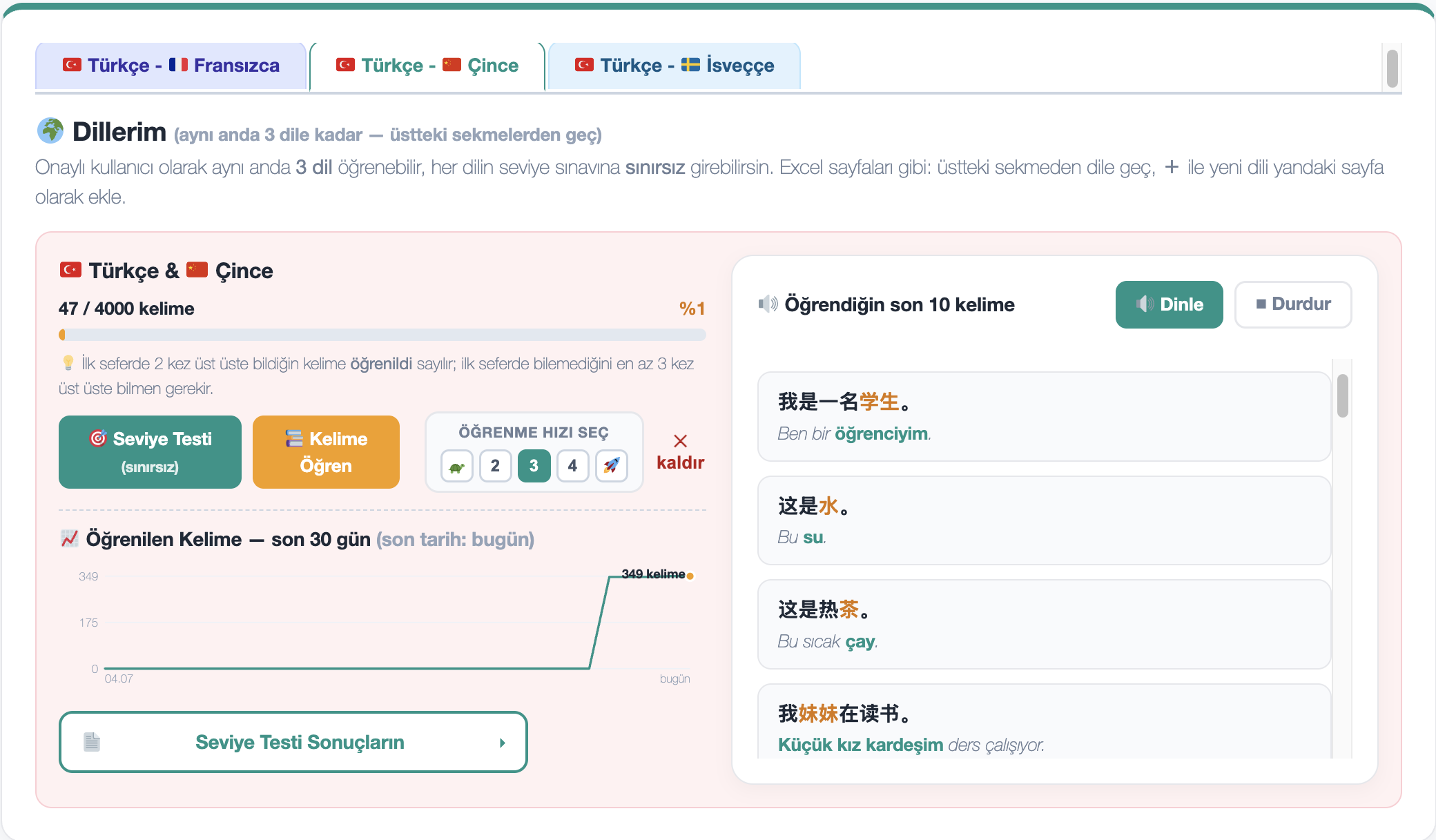
A separate page for each language: progress, unlimited level tests, word learning, and your rising learning chart over time.
Who is it for?
Individual User
- Level test
- Word and sentence learning
- Listening
Schools
- Periodic student level assessment
- Word and sentence learning
- Listening
Private Companies and Public Institutions
- HR level assessment for hiring
- Level assessment for existing staff
- Word and sentence learning, listening
How does it work?
Choose your language
Pick the language you know and the one you want to learn.
Measure your level
See your starting point with the level test.
Catch the words
Learn every day with sets suited to you.
Track your progress
Your scores and learned words, always with you.
🏫 For Schools
We set up a dedicated page for your school. Give students access to both the level test and word learning with one click, and track all progress from a single dashboard.
Easy student setup
Paste the email list, passwords are generated automatically, and the invite link goes out to all students with one click.
Usage dashboard
See live active users, tests taken, and learning sessions; export a PDF report.
Quick level test
Quick (10-minute) level assessment for new students at schools.
💼 For Businesses and Institutions
For your company or public institution: assess the language level of hiring candidates and existing staff, and give employees access to word/sentence learning and listening.
Level assessment in hiring
Quickly measure your candidate pool's language level and report results as a PDF.
Staff development
Track existing employees' progress from a single dashboard: words, sentences, and listening.
Usage dashboard
See live active users, tests taken, and learning sessions; export a PDF report.
📖 How to Use Linguapick – Quick Guide 4 steps from sign-up to your first word
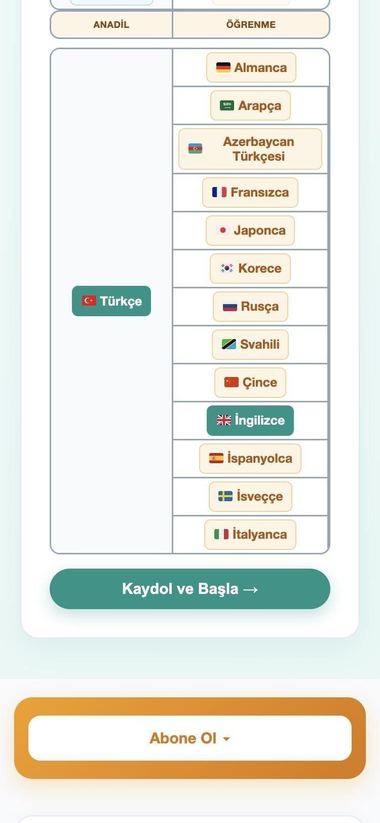
Pick your language pair
Your language + the one you want to learn
 123
- 1Choose your native language (left column). It is the one you already speak.
- 2Choose the language you want to learn (right column). It turns green.
- 3Press “Sign Up & Start”. Your language pair is saved with your new account.
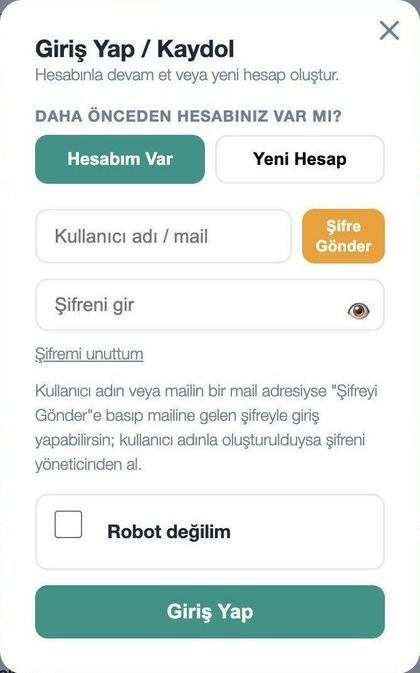
Sign up with your email
No form to fill in – just your email address
 1
 234
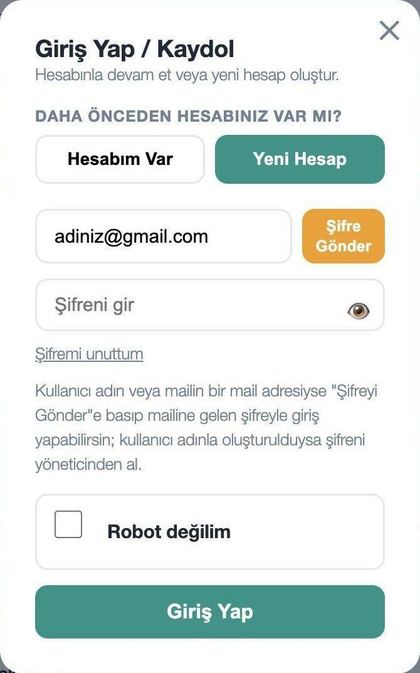
- 1New Account – if you are here for the first time, press this tab.
- 2Type your email address (use one you can open right now).
- 3Press “Send Password”. Your password is emailed to you.
- 4When you log in, tick “I'm not a robot” (next step).
Get your password and log in
Your password arrives within seconds
1234- 1Type your email.
- 2Paste the password you copied from the email.
- 3Tick the “I'm not a robot” box.
- 4Press “Log In”.
Start from your panel
After you log in, everything starts here
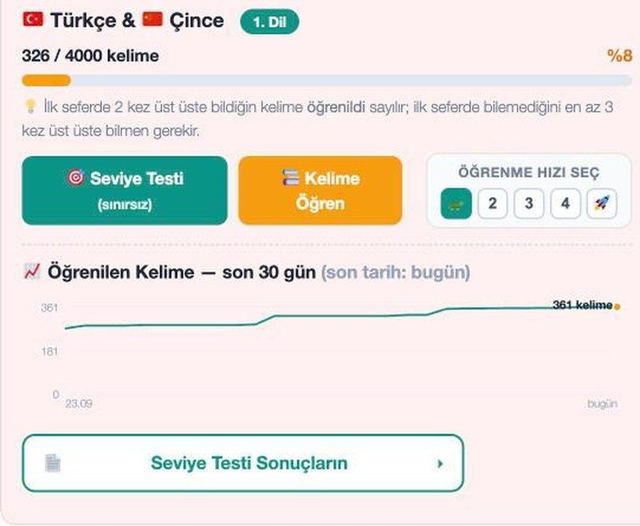 123456
- 1Progress – how many of the 4000 words you have learned.
- 2Level Test – find your level (unlimited attempts).
- 3Learn Words – start learning right away.
- 4Learning speed – pick 1 to 5. 1 is slowest and most detailed, 5 is fastest.
- 5Chart – words you learned in the last 30 days.
- 6Level Test Results – your past scores are kept here.
Take the level test
Find your level, then learn from there
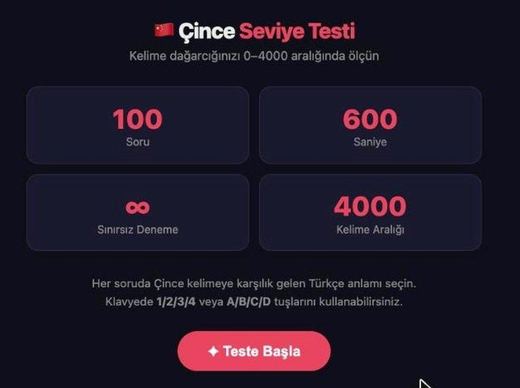 123
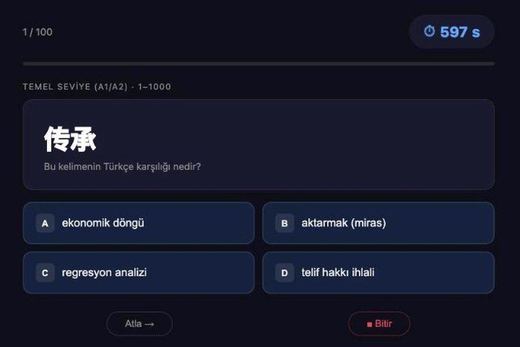 4567
- 1100 questions, 600 seconds (10 minutes).
- 2Unlimited attempts – take it as often as you like.
- 3When ready, press “Start Test” (red button).
- 4Read the word in the new language.
- 5Pick the right meaning or press A / B / C / D on the keyboard.
- 6Watch the clock.
- 7Press “Skip” for a word you do not know.
At the end of the test you get a score range (for example 500-600). That is your starting level. Your result is saved in your account and you can also download it as a PDF. Go back to your panel, press “Continue from Level” and carry on.
Start learning words
The test is optional – start from the first word
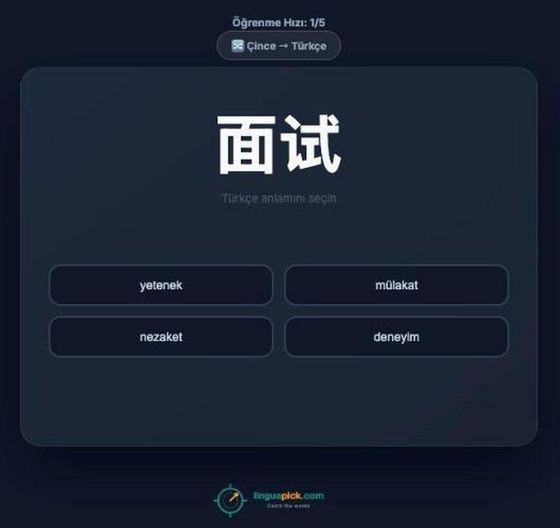 123
- 1Speed and direction (here: Chinese → Turkish). Tap to change direction.
- 2The word. Tap it to hear it.
- 3Pick the right meaning (4 options).
If you answer correctly 2 times in a row on the first try, the word counts as learned; if you miss it the first time you need 3 correct answers in a row. After a correct answer you see and hear the example sentence and the next word comes automatically. After a wrong answer try again; the word will come back later. Your progress is saved automatically: close the page any time and pick up with “Continue Where You Left Off”.
Tips for learning faster
1Learn a little every day
Study 10–15 minutes every day; it works better than one long session a week.
2Listen out loud
Tap the word and the example sentence to hear them, then repeat out loud.
3Retake the test
Retake the test every few weeks and watch your score range grow.
4Review what you learned
In your panel you can play the words and sentences you have learned and download them as MP3 / PDF.
5Pick the right speed
Speed 1 reads each example sentence twice, speed 2–3 once, speed 4–5 skips the sentences.
6Use your phone
Linguapick works in your phone browser; you can also add it to your home screen like an app.